Operational Β· CS2 Β· v2.4.1

CS2 cheat tool.
For Counter-Strike 2.

RCS, Trigger, Cross Assist, Sound ESP, grenade lineups and Auto-Stop in one lightweight CS2 menu. Tuned to look like you on your best day β€” not a bot.

  • ⚑Key delivered instantly
  • πŸ”’Secure Stripe checkout
  • πŸ–₯HWID-locked license
  • πŸ’¬PT/EN support
↓
Status
Operational
Setup
< 5 min
Current version
v2.4.1
Support
PT/EN tickets
// IN ACTION

Watch it run. No fluff.

Real in-game clips recorded with Real Legit enabled.

● LIVE
AIMBOT

Cross Assist

Smoothly pulls your aim onto the target, only inside the FOV you set.

● LIVE
VISUALS

Sound ESP + Skeleton

Sound rings and skeletons reveal enemies by the noise they make.

● LIVE
AIMBOT

Recoil Control

Compensates spray so bullets group on one spot.

● LIVE
AIMBOT

Trigger Bot

Fires when your crosshair crosses an enemy, with a configurable human delay.

● LIVE
GRENADES

Grenade Helper

On-screen lineups: where to stand, where to aim, which technique.

● LIVE
MOVEMENT

Auto-Stop

Brakes on the shot β€” accurate first bullet, no manual counter-strafe.

// PROTOCOL

From checkout to game in 3 steps.

01

Pick a plan

Pay securely with Stripe. Your license is generated instantly.

02

Download the client

Direct download from your dashboard, always the latest build.

03

Activate and play

Log into the app with your KEY. Your days only start counting at activation.

// ACCESS

Choose your access.

Pay once, no auto-renewal. Top up anytime β€” the days stack.

πŸ”’ One-time payment Β· no auto-renewal Β· key in your dashboard instantly

// UNDER THE HOOD

Every option, explained.

What each control actually does. Click to expand.

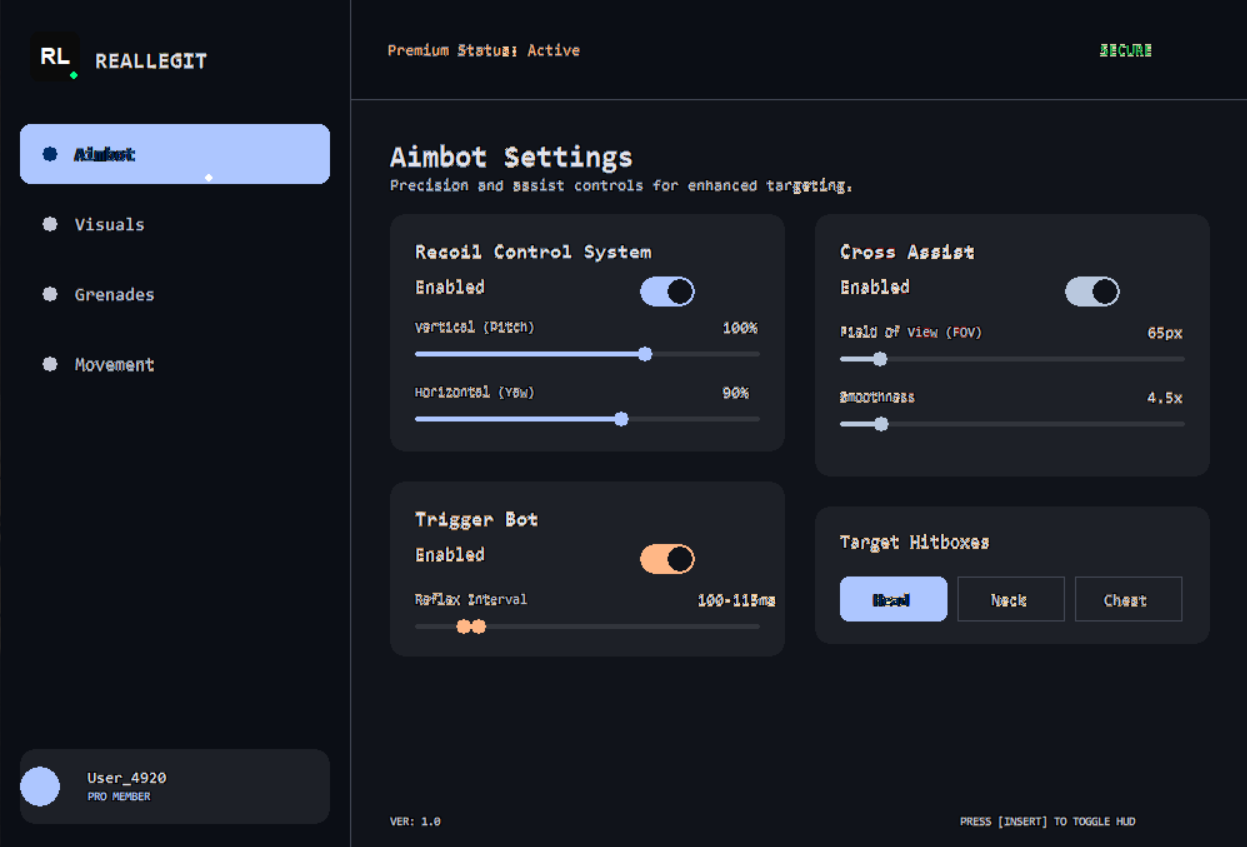
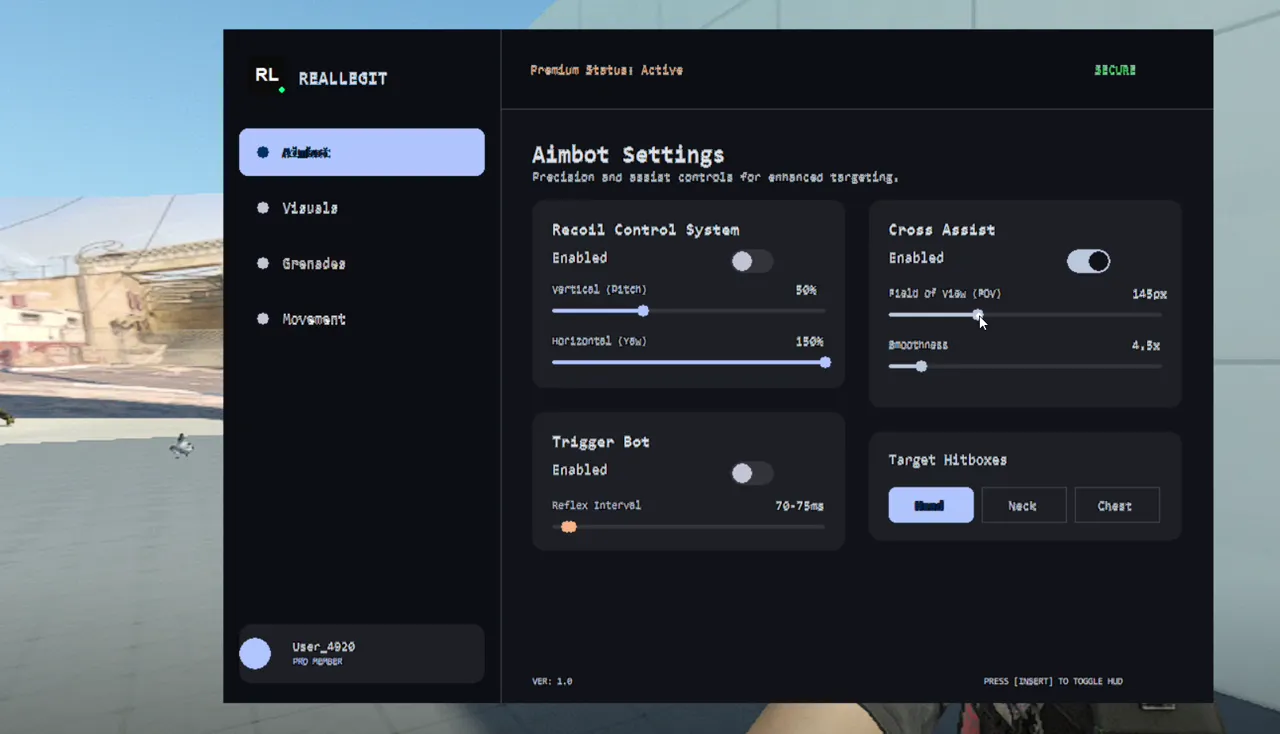
Aimbot β€” aim & fire

RCS β€” Recoil Control

Compensates spray recoil, with vertical and horizontal strength tuned separately.

What it doesWhile you hold fire, it moves your aim against the recoil β€” like a skilled player pulling the mouse. The 1st shot is the reference; the rest compensate only the new recoil.
EnabledTurns it on or off.
Vertical (Pitch) β€” 0 to 150%Strength against the gun climbing. Default 85%. Raise it if the spray still climbs; lower it if the aim drops too much.
Horizontal (Yaw) β€” 0 to 150%Strength against sideways drift. Default 85%. Independent from vertical.
WeaponsMade for automatic weapons; pistols and precision weapons are excluded.
Trigger Bot

Fires by itself when your crosshair crosses an enemy, with a human reaction time you choose.

What it doesWhen a valid enemy is under the crosshair, it fires after a random delay inside the range you set β€” never the same timing, so it doesn’t look robotic.
EnabledTurns it on or off.
Reflex Interval β€” 50 to 400 msTwo-handle slider (min and max). Default 120–190 ms. Lower = faster; higher = more natural.
ConditionsRespects the weapon in hand and the zoom state.
Cross Assist

Smoothly pulls your aim to the enemy inside the radius (FOV) you set.

What it doesMoves your aim with interpolation to the chosen point on the enemy, only inside the FOV around the screen center.
Field of View β€” 20 to 400 pxAction radius around the crosshair. Default 120 px. Bigger = stronger help; smaller = only when you are nearly on target (subtler).
Smoothness β€” 1 to 30Default 10. Higher = slower, more natural pull; lower = faster, more direct.
Target HitboxesHead, Neck and Chest (default: Head + Chest). With none selected, Cross Assist does nothing.

Visuals β€” what you see

Sound ESP

Shows on screen where enemy shots, steps, weapon switches and zooms come from.

Sound Rings (F1)Rings at the location of each sound event. They fade on their own.
Sound Compass (F3)Arrows pointing to the sound direction β€” handy when the enemy is off-screen.
Listen Radius β€” 200 to 2000How far events are shown. The slider steps by 50; F5 lowers and F6 raises by 100.
How it detectsFrom game events (shots, weapon switch, zoom, movement). Visual only β€” it doesn’t touch the audio.
Skeleton Assist

Draws enemy skeletons so you read their position and pose. Two modes.

Sound modeThe skeleton shows together with a sound event. Cleaner screen.
Default modeSkeletons drawn continuously. More info, busier screen.
One at a timeTurning one mode on turns the other off.

Grenades

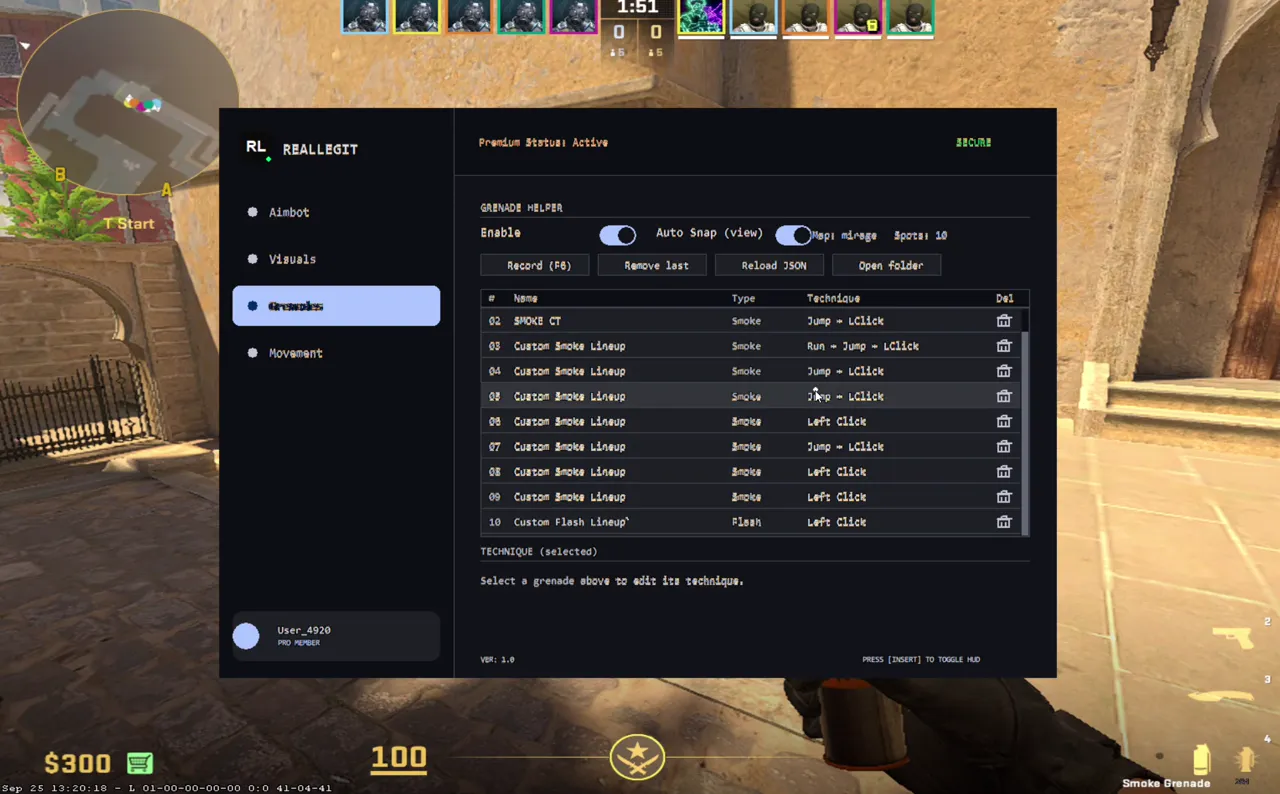
Grenade Helper

Record your lineups per map and let the app execute the throw with the right technique.

EnableShows markers for saved spots and detects when you are standing on one.
Auto Snap (view)Line up your crosshair with the marker; once position and aim hold steady for a moment, the app performs the spot’s technique once. (Your aim is not moved for you β€” you line it up.)
RecordSaves the current spot: map, position, angle and the grenade in hand. Use the Record button in the menu.
Remove last / Reload JSON / Open folderDeletes the last spot, reloads the lineup file (to import someone else’s) or opens its folder.
Technique per spotRename the spot and pick: None, Left Click, Jump Throw, Run Throw, Run + Jump or Walk Throw. Saved per map.

Movement

Auto-Stop

Stops your character by itself right after the shot β€” automatic counter-strafe.

What it doesIf you fire while moving (WASD), it presses the opposite key for just the right time to stop instantly.
AdaptiveThe timing is computed from your speed at the moment of the shot β€” nothing to tune.
When it actsWith a primary weapon or pistol; ignores knife, grenades and jumps. Only option: Enabled.

Hotkeys: INSERT opens/closes the menu Β· F1 Sound Rings Β· F3 Sound Compass Β· F5/F6 Listen Radius Β· END closes the app. Everything saves on its own β€” there is no save button.

// FAQ

Frequently asked questions.

How do I get my license?

As soon as payment is confirmed, your KEY and the download appear in your dashboard. Days start counting on your first login in the app β€” bought and not used, no days lost.

Can I switch computers?

Yes. Licenses are bound to one PC (HWID) and you can reset the binding yourself from the dashboard.

What payment methods?

Cards via Stripe. Other methods can be enabled by the administrator.

Refunds?

Open a ticket within 7 days if the tool does not work on your system. We review every case.

Requirements?

Windows 10/11 64-bit and Counter-Strike 2 installed. The client is lightweight and won't hurt performance.

Is it at my own risk?

Read the Terms of Use and respect the rules of the games and platforms you play on.

Your next match can be different.

Buy now, get your key instantly and be in game in under 5 minutes.

Buy now β†’from $5.00
from$5.00
Buy β†’