
Sound Rings (F1)
Draws a ring at the location associated with a sound event. Indicators fade after a short time, keeping recent information visible.
Learn how Sound Rings and Sound Compass display in-game events and which limits you can configure.
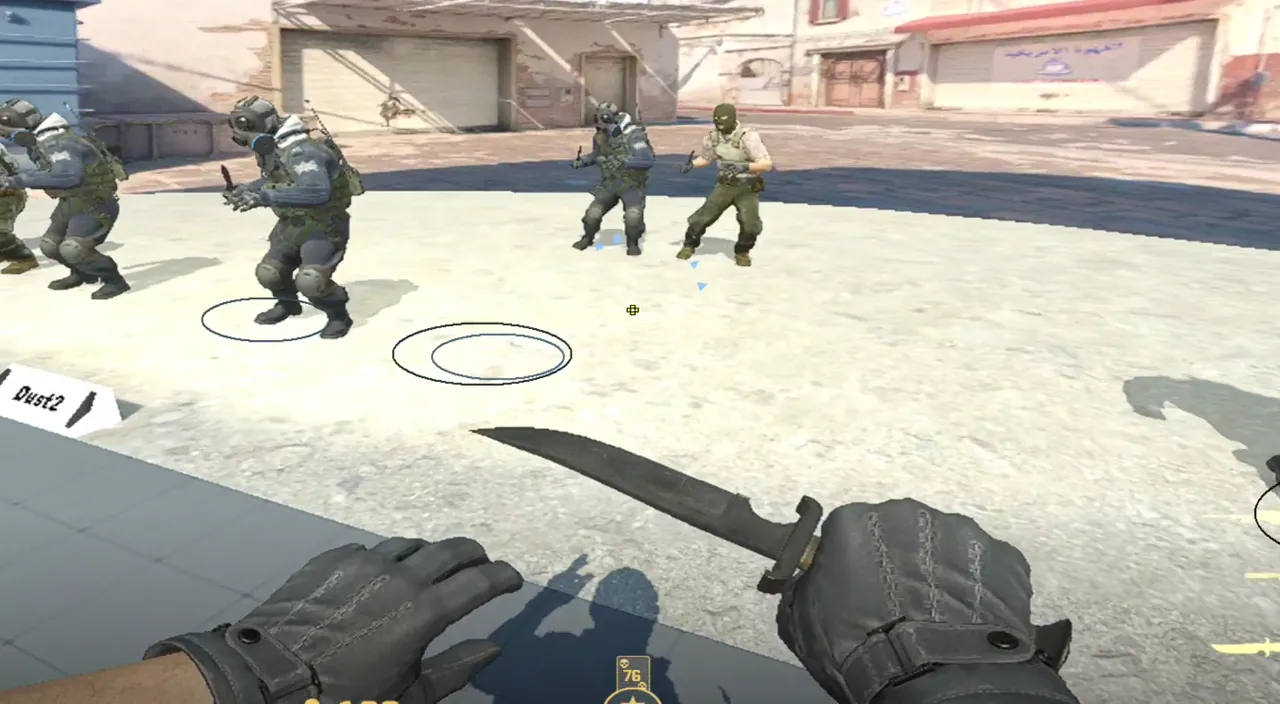
Draws a ring at the location associated with a sound event. Indicators fade after a short time, keeping recent information visible.
Shows arrows for the event direction. This helps orient you when its source is outside the visible screen area.
Listen Radius ranges from 200 to 2000 units. The slider moves in steps of 50; F5 lowers and F6 raises the value by 100.
Information comes from game events such as shots, steps, weapon switches, and zoom. The feature is visual and does not record or alter microphone audio.
Skeletons can appear with sound events or continuously in Default mode. The modes are exclusive: enabling one disables the other.
No. It visualizes game events and does not capture the microphone.
Listen Radius is adjustable from 200 to 2000 units.
No. Rings marks the event location; Compass shows direction with arrows.